Since my last post, classes have began and I’m back to doing homework. I’m studying databases and Java. This is my first class on databases and my second course on Java. The time I’ve put into practicing Java so far has paid off. I seem to understand and possess the vocabulary to describe the problems and solutions. I’ve increased my reading so that I’m actually working ahead on the next week while still having a couple of days remaining in this current week.

Keeping this blog in mind, I’ve had an idea to collect the solutions I find and share them. I’ve began to use Google Keep, although I’m not the biggest fan, to collect websites that I find solutions on. My plan is to blog more about the problems and solutions and less about my personal opinions, although those will likely seep into my writing. School is keeping me busy but part of my coursework has me creating forum posts to other students. I’m hoping that all of this writing will help me to express solutions easier.
To give an example of what I’ve been collecting, I’ll share a couple things that I had hoped to blog about prior to starting school:
Understanding Linux MAN pages. https://askubuntu.com/questions/650236/how-to-read-command-example-syntax-in-synopsis-sections-of-man-pages#650265
I have been using MacOS for about 6 years now and sometimes I mess with Raspbian on my Raspberry Pi. One of the issues I’ve always had was understanding the documentation on commands in the terminal. There is a nice command call “man” that is short for manual. You can type man followed by any terminal command to read the manual or documentation for that command. While I’ve known about this command, the way these manuals read is very confusing. After years of faking it, I decided that I really needed to finally understand what was going on with the display of commands and parameters.
If you open up Terminal and type “man ls” you will get the manual page for the ls command which is short for list. The list command will display all the current files in a directory. You can even supply parameters to change what is displayed such as showing any hidden files that are located in that same folder. To find out what parameter you should supply, you need to review the manual for the ls command. I previously didn’t understand the optional parameters and notation used in the manual page.
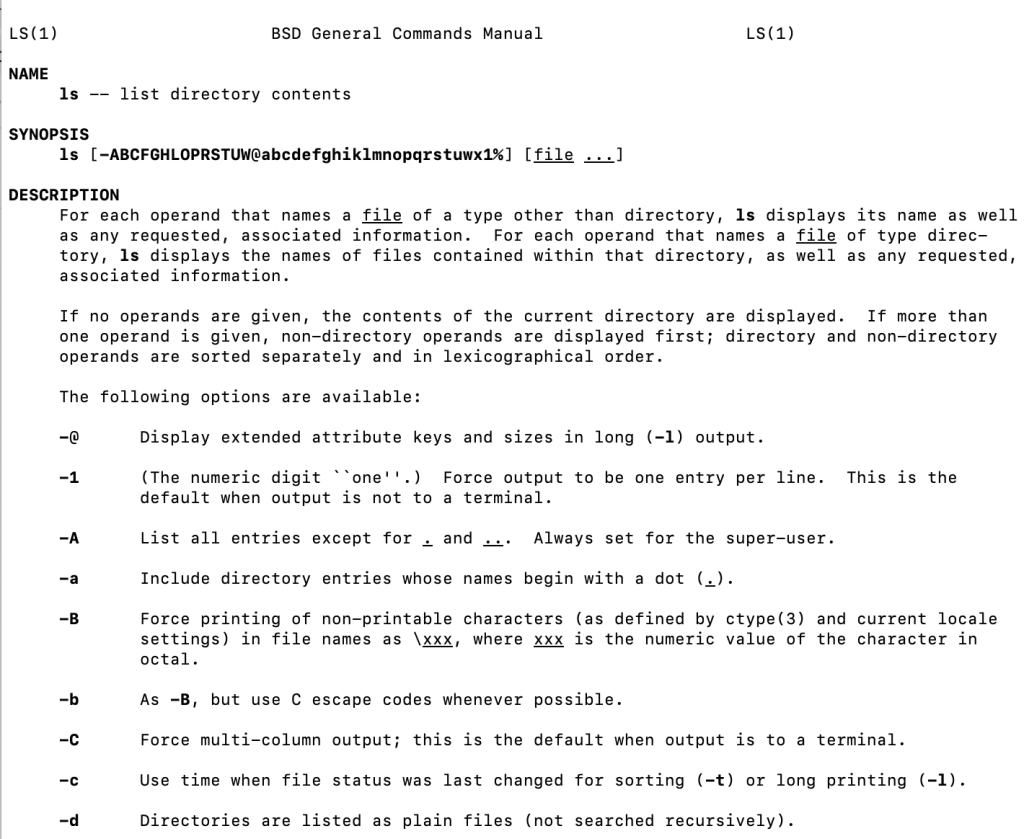
When it came to my lack of understanding, I didn’t understand the parenthesis, brackets, or the tags used in the man pages. Rather than continuing to shy away from the man pages, I decided that enough was enough. I did some searching and found out that parameters shown in parenthesis are optional. Limited choices are shown inside of brackets, and mandatory parameters are enclosed inside of the greater than and less than symbols. ex: <mandatory> Now that I took a few minutes to understand the format of the man pages, I’m much more efficient that ever before. This was one of those holes in my knowledge that was really preventing me from moving forward.
The other resource that I’m Google Keeping, is a video on How to Begin Thinking like a programmer. This video isn’t brand new by any means and I’d watched it once in the past and forgot about it. It wasn’t until my failure to create a password checker program that I realized I didn’t understand looping and strings very well. This video gave me the loop piece that I didn’t get. The “KeepGoing” loop.
The KeepGoing loop showed me how to build a while loop that used a boolean toggle to exit. While the code doesn’t seem very complicated now that I understand it, trying to reach this point using a For loop or other while loop just wasn’t working. There was a simple elegance to this solution that I was making more complicated than it needed to be. I also needed time to study my textbook on the while loop. Far too often when facing a school deadline, I would just work on the problem without completing enough of the book problems. Since the book problems don’t earn me any credit, they were cast aside for the main problem that would get me credit.
As I continue to work on Java programs and other tech stuff at work, I will add relevant links to my Google Keep. When I get a free hour to blog I will list off the latest pieces to the puzzle. I hope that in tracking these solutions I can blog about topics that would be helpful to other learners. Helping other people learn isn’t my direct goal right now, but if I can contribute to others while maintaining my own journey then it’s extra icing on the proverbial cake.

 Todd's Technical Travels